Alpha Sale & Discount Manager

Bulk price editor for Shopify

Run flash sales and bulk price changes across your entire Shopify catalog in minutes — not hours. Alpha Sale applies discounts in bulk, sets compare-at prices so crossed-out pricing shows across your store, and restores every original price automatically when the sale ends.

4.9 / 5.0

Shopify App Store

24/7 support

Live chat & email

Free plan

No credit card required

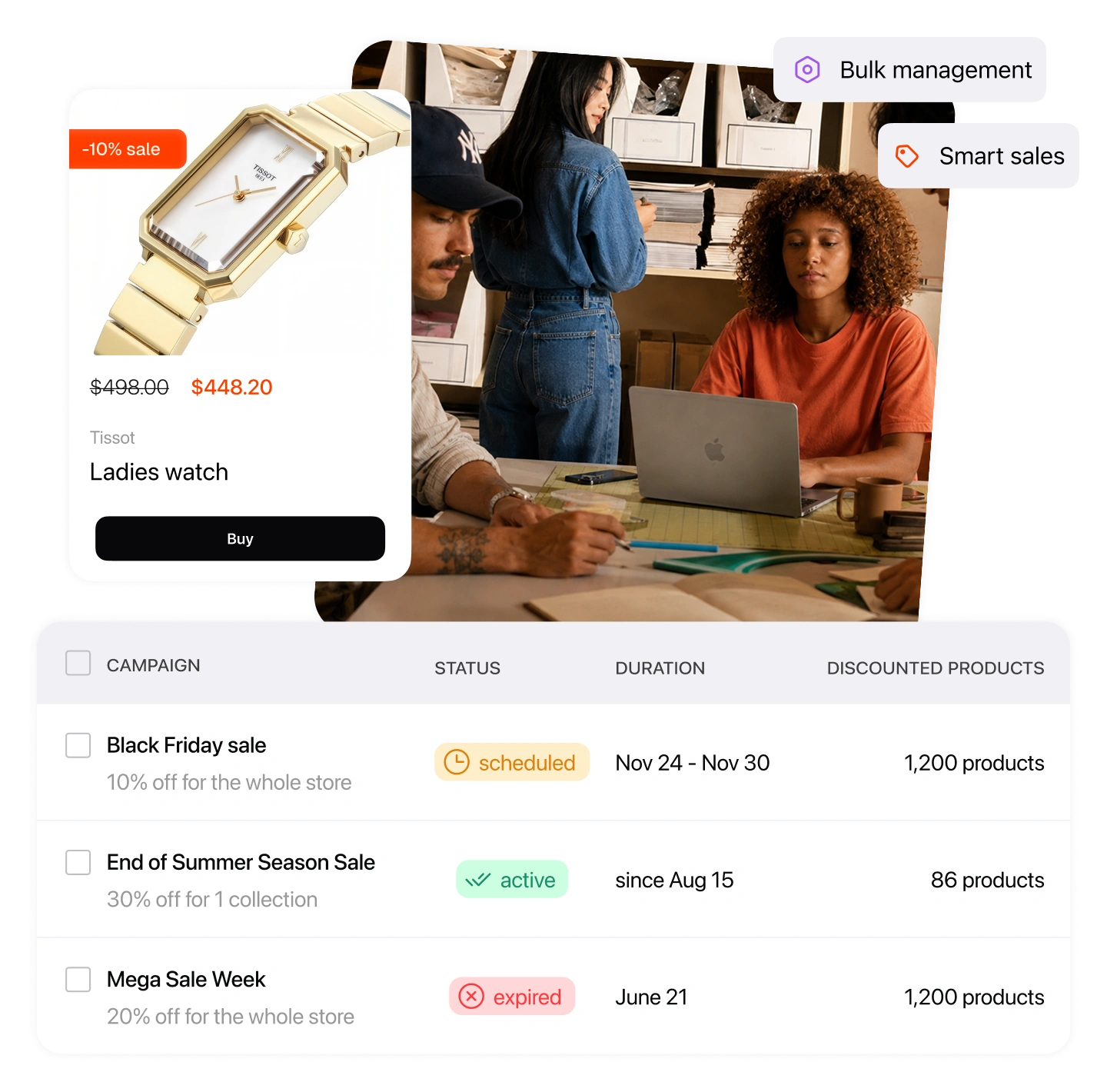
Three storefronts on mobile showing sale badges, crossed-out prices and an announcement bar

Editing prices by hand doesn't scale

Running a flash sale by hand means editing every product one by one — then undoing it all the moment the promotion ends. A bulk price editor does the whole job in one pass: pick what's on sale, set the discount once, and let the app apply, display, and revert every price automatically.

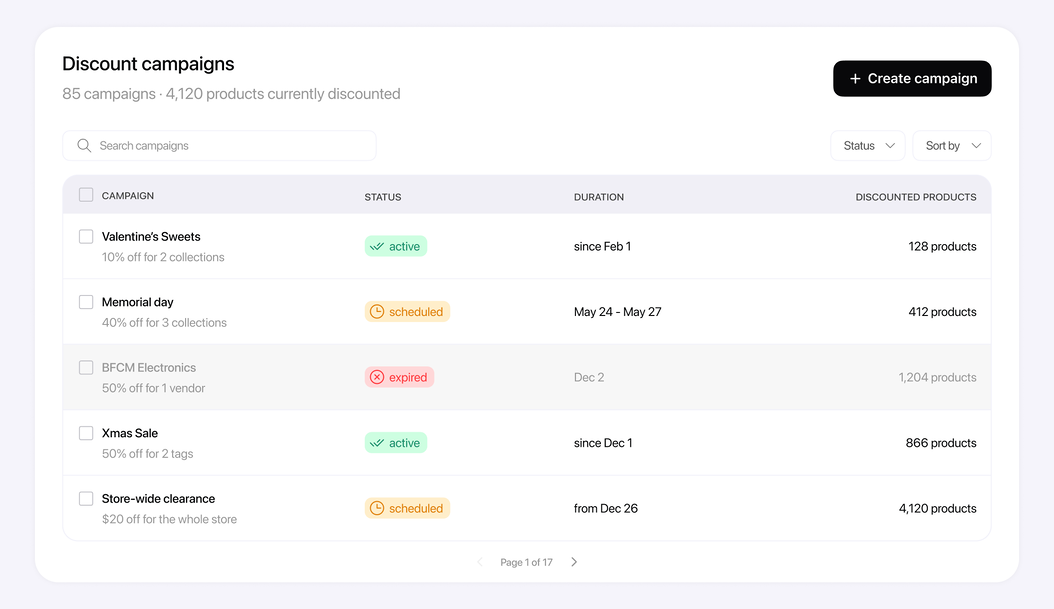
Discount campaigns

85 campaigns · 4,120 products currently discounted

Search campaigns
Status
Sort by
Campaign Status Discounted products

Valentine's Sweets

10% off for 2 collections

Active since Feb 1
128

Memorial day

40% off for 3 collections

Scheduled May 24 → May 27
412

BFCM Electronics

50% off for 1 vendor

Expired Dec 2
1,204

Xmas Sale

50% off for 2 tags

Active since Dec 1
866

Store-wide clearance

$20 off for the whole store

Scheduled from Dec 26
4,120

Page 1 of 17

How it works

How to put products on sale in bulk

Setting up a flash sale takes five short steps. Here's the whole flow, start to finish.

1

Name your discount campaign

Give the campaign a clear name so you always know which products belong to which sale.

2

Choose the discount value

A fixed amount ($10 off), a percentage (10% off), or a desired sale price so a product costs exactly what you want.

3

Pick targets and exclusions

Include or exclude products by collection, vendor, product type, or tag — the app handles the rest.

4

Schedule it — or run it now

Activate immediately or set it to run on autopilot on a recurring schedule. Prices apply and revert on their own.

5

Add an announcement bar

Promote the sale with a customizable banner that switches on with the campaign and off when it ends.

Targeting & exclusions

Discount exactly the products you mean & avoid double discounting

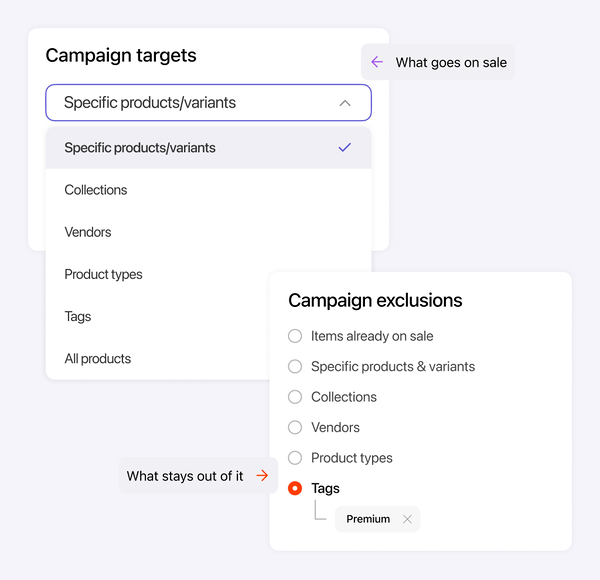
Reach the right products and protect the ones you want at full price. Combine conditions and exclusions so a sale never touches something it shouldn't — including items that are already reduced.

  • Target by collection, vendor, product type, or tag
  • Add exclusions — e.g. all jeans except one brand
  • Block coupons from applying to products with a reduced price
  • Tag discounted products so you always know the campaign

Campaign targets

What goes on sale

Specific products/variants
Collections
Vendors
Tags
All products
Exclude products that are already on sale

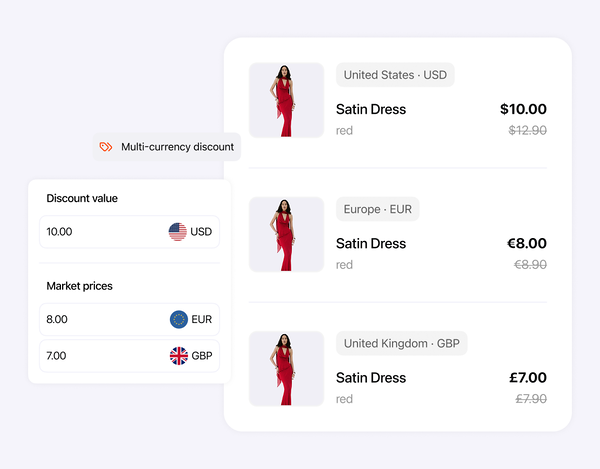
Markets

Fixed prices
US

United States

Fixed-price catalog

EU

European Union

Fixed-price catalog

UK

United Kingdom

Fixed-price catalog

Apply sale prices to markets with fixed prices
Shopify Markets

Apply sale prices to markets with fixed prices

Selling internationally with fixed-price catalogs? Most apps discount only your main currency. Alpha Sale extends sale and compare-at prices to those markets too.

  • Apply a discount to markets that use fixed-price catalogs
  • Crossed-out prices show in every region, not just your main currency
Scheduling

Run now, or set it on autopilot

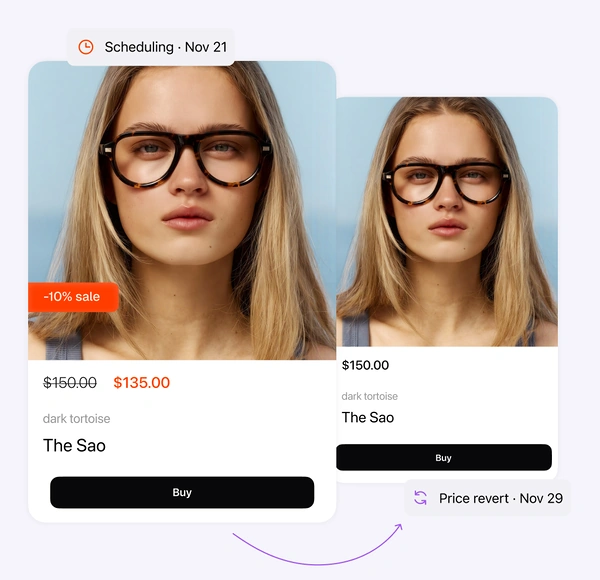
Start a sale on the spot or line it up in advance. Prices apply at the start and revert at the end — with no manual clean-up when the promotion is over.

  • Start immediately or schedule a start and end time
  • Repeat on a recurring basis — weekly, monthly, or seasonal
  • Announcement bars switch on and off with the campaign

Campaign schedule

When the sale runs

Schedule a single launch
Schedule weekly launches
Schedule monthly launches

From

Nov 29, 00:00

To

Dec 2, 23:59

Show announcement bar while the campaign is active

Original prices come back automatically

Product page

What shoppers see

Sports Jacket product photo

Sale

Sports Jacket

$39.00 $59.00
Save 34%

Size

M LXL
Compare-at price written in bulk by Alpha Sale
Storefront display

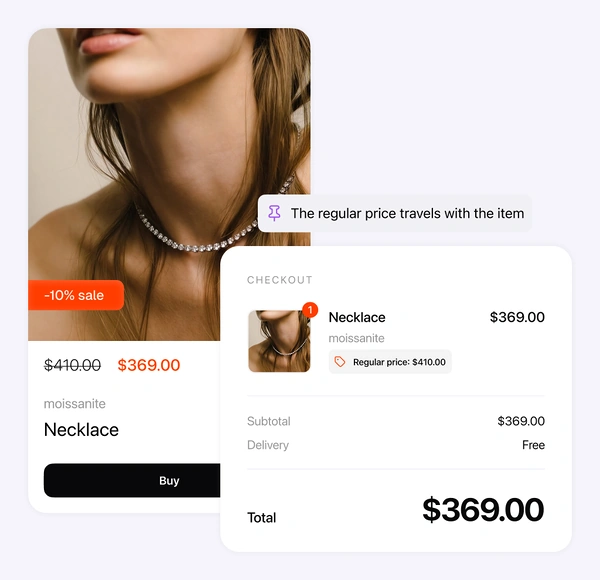
Crossed-out prices from product page to checkout

Once a campaign is live, the discount follows shoppers the whole way — on the product page, in the cart, and at checkout. No theme edits, no developer.

  • On product pages — crossed-out prices and sale badges
  • In the cart — crossed-out prices plus a savings widget
  • At checkout — the original price is shown next to the discounted one

Launch your next sale in minutes

Bulk-edit prices, schedule the campaign, and let Alpha Sale revert everything automatically when it ends.

Discount types

Price the sale exactly how you want

Percentage, fixed amount, or a target price — plus rounding so every sale price looks deliberate.

Percentage off

Take a flat percentage off every product in the campaign — 10%, 25%, 50%, whatever the promotion calls for.

Fixed amount off

Knock a set dollar amount off each product in the campaign.

Target sale price

Set a product to cost exactly $10 (or any price) regardless of its starting price.

Price rounding

Force endings like .99 or whole numbers so your sale prices always look intentional, not calculated.

Bulk editor vs by hand

Why stores switch from manual price edits

By hand in Shopify

  • Edit each product by hand
  • Set two fields per product
  • Undo every change manually
  • Track them in a spreadsheet
  • Re-do the work every time

With Alpha Sale

  • One campaign, minutes
  • Set automatically in bulk
  • Automatic revert
  • Built-in targeting/exclusion rules
  • Schedule once, months ahead
FAQ

Bulk price editor questions

Everything merchants ask before running their first bulk sale on Shopify.

Get started
Create a campaign in Alpha Sale, choose the collection (or vendor, product type, or tag), set your discount, and activate. The app updates every matching product at once and sets a compare-at price so crossed-out prices appear across your storefront. There's no need to open products one by one.
Shopify shows a crossed-out price when a product has both a Price and a Compare-at price. Alpha Sale writes both fields for you in bulk, so sale badges and original-vs-sale pricing show up on product pages, collection pages, search results, and POS.
Yes. Alpha Sale stores every original price before it changes anything, then reverts them automatically when the campaign ends or when you stop it. One important rule: while a sale is running, don't edit those product prices manually in the Shopify admin (or via inventory and dropshipping apps) — those changes will be overwritten when the app reverts prices at the end.
Alpha Sale includes a one-toggle setting that shows the original, crossed-out price next to the discounted price at checkout — so shoppers see their savings right before they pay. It works on every plan, with no Shopify Plus subscription and no theme code.
Yes. Exclude products that are already on sale from your coupon codes and automatic discounts, so a coupon never stacks on top of an item that's already reduced. You decide per campaign — block sale products entirely, apply only the largest discount, or allow stacking.
By default a discount applies to your store's default prices. On the Ultimate plan you can also apply it to markets that use fixed-price catalogs by enabling 'Apply to markets with fixed prices'. Price rounding applies to your store currency only, since rounding rules differ per currency.

Put your first collection on sale today

Install free, edit prices in bulk, and revert whenever you like.

Alphalogic

Shopify apps for sales and loyalty — flash sales, automatic discounts, points, and VIP programs that grow your store.