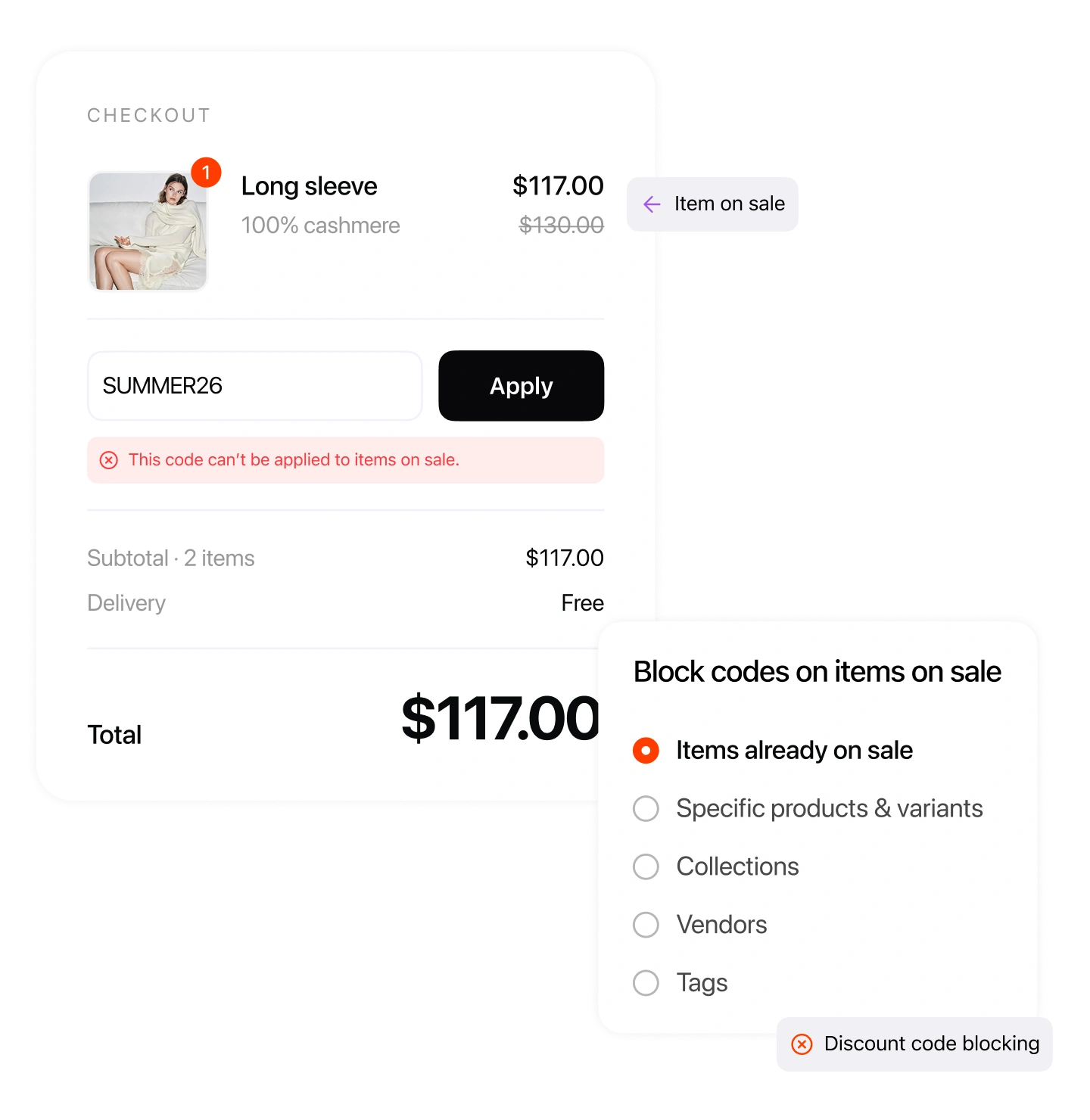
On Shopify, shoppers can stack a coupon code on top of items that are already on sale — a double discount that quietly eats your margin. Alpha Sale gives you two ways to stop it: block your existing codes when a sale item is in the cart, or set the discounts you build in the app to skip sale items automatically.
4.9 / 5.0
Shopify App Store
24/7 support
Live chat & email
Free plan
No credit card required
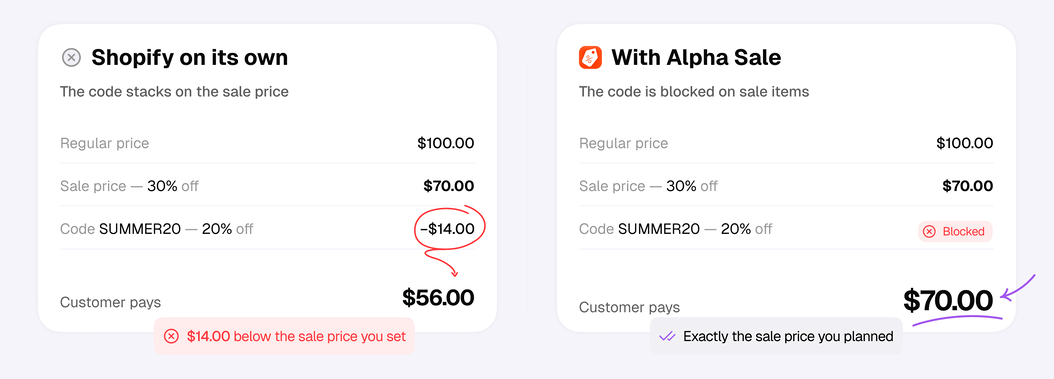
When a product is on sale and a customer also enters a discount code, both discounts apply at the same time. This happens even if you set your codes not to combine with other discounts. The product then sells for less than you planned, and you lose profit. Alpha Sale fixes this: you choose which codes work on sale items and which do not.
Shopify on its own
The code stacks on the sale price
With Alpha Sale
The code is blocked on sale items
Two mechanisms for two situations. Use either — or both.
When you make a discount or coupon in Alpha Sale, you decide how it treats sale items: skip them, keep only the larger discount, or let both apply.
Alpha Sale discountsStop the codes you already created in Shopify from applying when the cart holds protected products. Rule-based, with a checkout message and scheduling.
Discount code blockingThere's no wrong pick here — each one wins in its own case. Build your codes in Alpha Sale to exclude only the products you choose instead of the whole cart, with automatic discounts covered too. Already running lots of codes, like welcome offers? Blocking rules are made for exactly that.
| Alpha Sale codes | Blocking rules | |
|---|---|---|
| Best for | A smaller number of codes | Stores with hundreds of codes already set up |
| Works on | Product level — only the chosen products are excluded | Cart level — one blocked product blocks the code for the whole cart |
| Works with | Codes and automatic discounts | Codes only |
When you build a discount inside Alpha Sale, pick the behavior that fits — with a clear outcome each time.
Keep a coupon off anything already discounted. Turn on 'Exclude → products already on sale' and reduced items are ignored at checkout.
When a sale and a coupon both qualify, give the customer the single best deal instead of stacking them.
Sometimes you do want both to apply — a true VIP or clearance moment. Let the coupon stack on top of the sale and show the combined saving.
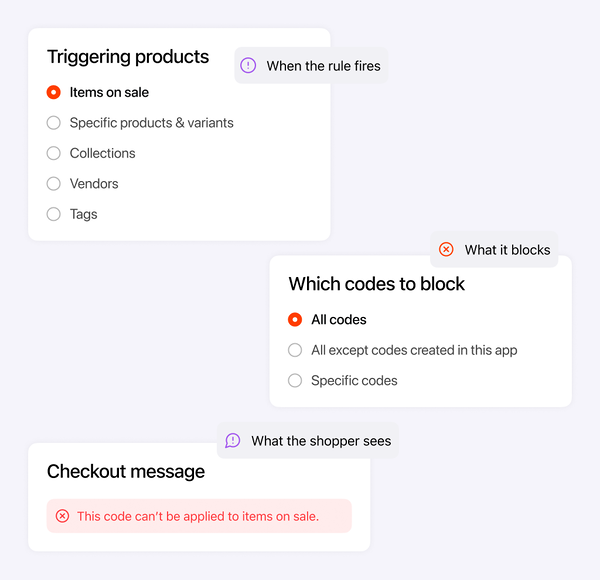
A blocking rule stops the codes you choose from applying at checkout whenever the cart contains protected products. The codes themselves don't change — the moment the rule stops, they work again.
Blocking rule
Summer sale protection
Triggering products
Which codes to block
Checkout message
Every code or automatic discount you create in Alpha Sale comes with fine-grained controls — set the ones you need per campaign.
Cap the total discount per order, so a percentage code never takes off more than you want.
Discount only a set number of items per order — and choose the most expensive or the cheapest ones.
Require a minimum order amount, or a minimum number of items, before the code applies.
Cap how many times a code can be used in total, or limit it to one use per customer.
Target specific customers, segments, or tags — or exclude certain customer tags.
Give the same offer as a code customers enter, or an automatic discount that applies on its own.
Block the codes you choose, or make your Alpha Sale discounts skip sale items — either way, no double discounts and no lost margin.
Shopify native discounts
With Alpha Sale
How merchants keep discounts from stacking and protect their margins.
Get startedInstall free and set the rules that protect your margin on every campaign.
Shopify apps for sales and loyalty — flash sales, automatic discounts, points, and VIP programs that grow your store.